


Amazon WorkMail is shutting down. Land somewhere your team can actually work.
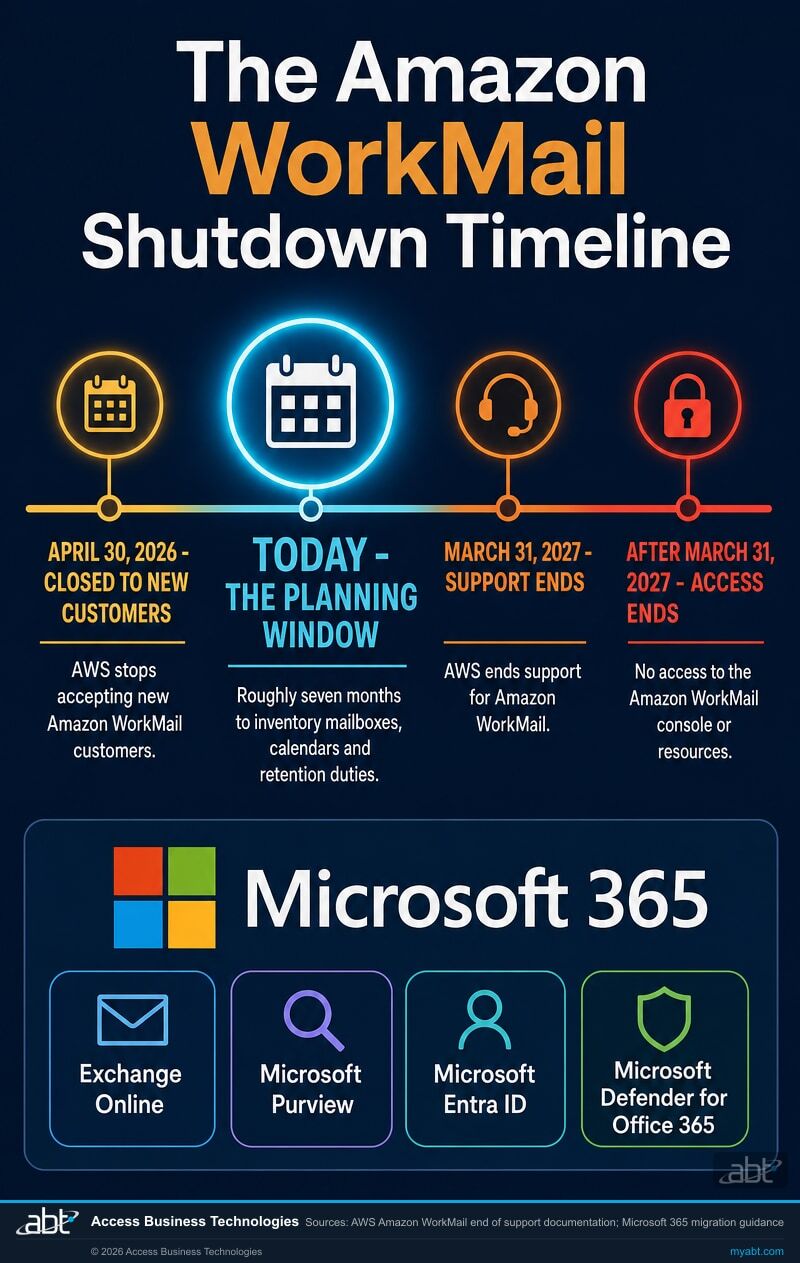
AWS has set a hard date. On March 31, 2027, support for Amazon WorkMail ends and access to the console and its resources ends with it. Moving to Microsoft 365 turns a forced deadline into the upgrade your team was going to need anyway, and ABT runs the migration free with a 12-month licensing commitment.
- Mail, calendars, and contacts planned together, not just the inbox
- Microsoft 365 tenant hardened on day one, not months later
- Retention and archiving set up before the mail lands, not after
What is happening to Amazon WorkMail?
AWS is ending the service. Its documentation is unusually plain about it: "After careful consideration, we decided to end support for Amazon WorkMail, effective March 31, 2027." The same page adds that Amazon WorkMail "will no longer accept new customers beginning April 30, 2026," which means the service was quietly closed to new business roughly eleven months before the lights go out.
The detail that changes your planning is what happens on the far side of the date. This is not a deprecation where the product keeps running without new features. AWS states that "after March 31, 2027, you will no longer be able to access the Amazon WorkMail console or Amazon WorkMail resources." Access ends, not just support. Whatever is still sitting in those mailboxes on April 1 is a problem you no longer have a console to solve. AWS does publish a mailbox export guide, which is worth using well before the date rather than near it.
If you are reading this in 2026, you have roughly seven months of comfortable planning time and a hard wall behind it. That is enough to do this well. It is not enough to do it twice.
Will my calendars and contacts come across?
Not by default. This is the single most expensive assumption teams make when they plan a WorkMail exit themselves.
Amazon WorkMail is a mail and calendar service. AWS describes it as a "business email and calendar service," and users reach their "email, contacts, and calendars" through Outlook, mobile clients, or the browser. So when people picture moving off it, they picture moving all three.
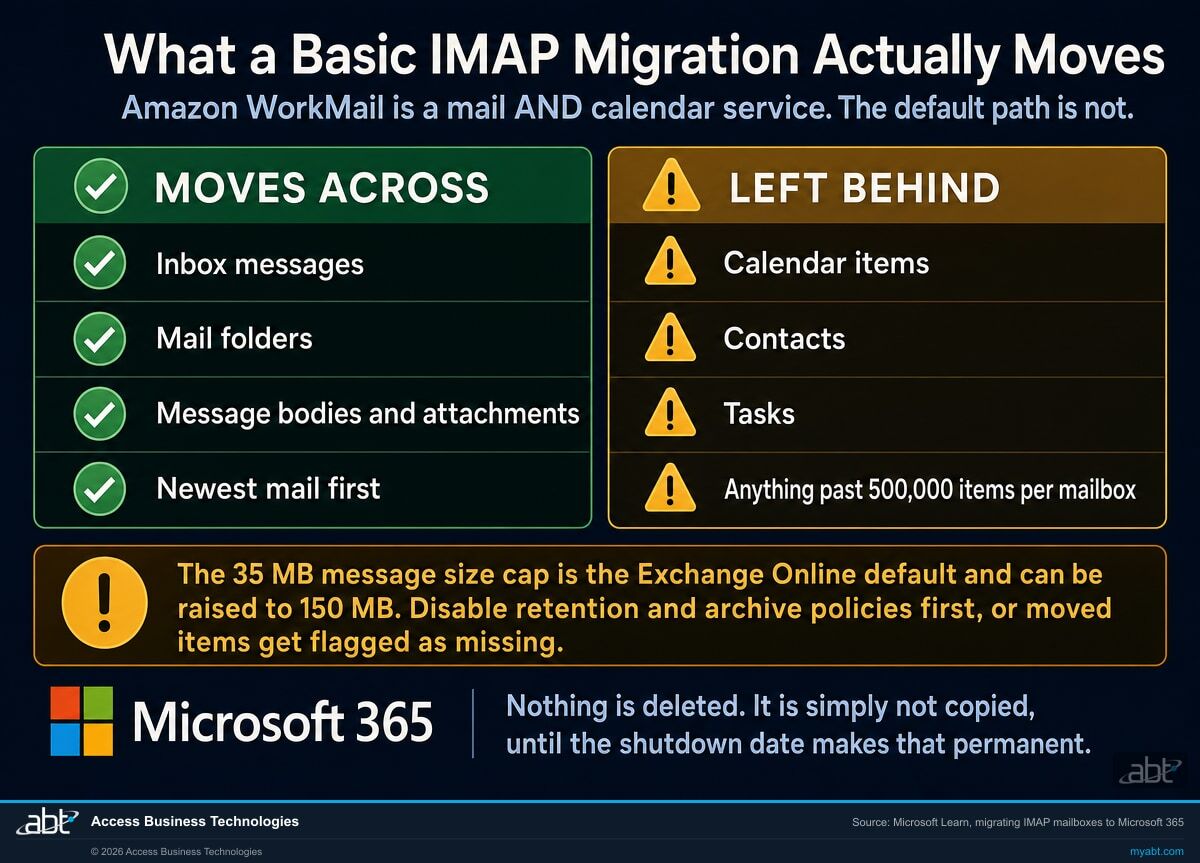
The cheapest and most commonly recommended path into Microsoft 365 is an IMAP migration. Microsoft's own documentation states the limitation without any ambiguity: "This type of migration doesn't migrate contacts, calendar items, or tasks." IMAP is a mail protocol. It moves mail. Calendars and contacts are simply not in scope, and nothing warns the user at the end of the run, because from the tool's point of view nothing failed.
Be precise about what the risk actually is. An IMAP migration does not delete anything. Your calendars and contacts stay exactly where they are, in Amazon WorkMail, untouched. The exposure is that they were never copied, nobody noticed because the mail migration succeeded, and the place they still live stops being reachable on March 31, 2027. It is an omission that becomes a loss only if the date arrives before anyone catches it. That is a much easier problem to fix in September than in March.
There are three more limits on the same page worth knowing before anyone commits to a plan. A maximum of 500,000 items will migrate from any one mailbox, and mail is taken newest first, so the items that fall off the end are the oldest ones. Microsoft's migration guidance puts the largest single message at 35 MB, which is the Exchange Online default rather than a fixed ceiling: the mailbox limit is configurable up to 150 MB, so on a mailbox full of large attachments this is a setting to raise before you start rather than a wall to discover halfway through. And Microsoft "strongly recommends disabling all MRM and archival policies before attempting any data migration," because items that a retention policy moves or deletes mid-migration get flagged as missing, producing what Microsoft calls "perceived data loss rather than actual data loss." Perceived or not, it is the kind of thing that turns a weekend cutover into a fortnight of reconciliation.
Why this matters more if you are regulated
For credit unions, banks, and mortgage companies, a calendar is not a convenience. Meeting records, committee schedules, and the correspondence attached to them can fall inside the same recordkeeping duties as email. A migration that leaves calendars behind, and a retention policy that was switched off for the cutover and never switched back on, are the two findings most likely to surface later at the worst possible moment. Both are avoidable, and both are avoided by planning them before the mail moves rather than after.
Find out what your move actually involves
Tell us how many mailboxes you have and whether you use WorkMail calendars. We will come back with a written plan: what moves, what needs a separate path, and what your Microsoft 365 licensing should cost afterward.
Where does AWS tell you to go?
This part is genuinely interesting. AWS names three replacements: "Amazon WorkMail recommends customers migrate to third-party solutions such as Kopano Cloud, Zoho Mail, and Zoom Mail, each providing Amazon WorkMail-comparable capabilities and tooling for easy migration." The same sentence then adds that "you can also migrate to other in-market third-party solutions."
So the list is open, and it would be wrong to read it as AWS steering anyone away from anything. But it is worth noticing what is not on it. Microsoft 365 is not named, on a product whose own feature list led with native Microsoft Outlook support on Windows and Mac, interoperability with Microsoft Exchange Server, and Microsoft Active Directory integration. WorkMail's entire pitch was that it behaved like the Microsoft stack your people already knew.
The practical reading is simple. "Comparable capabilities" is the right goal if all you want is to replace what you had. If you would rather come out of a forced migration with more than you went in with, the comparison worth running is not WorkMail against another mail host. It is WorkMail against a platform.
The work your team already does
Word, Excel, PowerPoint, and Outlook, plus Microsoft Teams for calls and meetings and OneDrive and SharePoint for the files those meetings are about. A mail host replaces your mail. This replaces the reason people were emailing attachments around in the first place.
Security that is configured, not assumed
Microsoft Entra ID for identity and conditional access, Microsoft Defender for Office 365 against phishing and business email compromise, and multifactor authentication enforced rather than merely available. ABT sets this on day one instead of leaving it to a later project.
Records you can produce on request
Microsoft Purview for retention, archiving, and eDiscovery, so the answer to a regulator or an examiner asking for four-year-old correspondence is a search rather than an apology. This is the half of the move that pays for itself the first time you need it.
What does Microsoft 365 cost compared with Amazon WorkMail?
More, per seat. We would rather say that plainly than have you discover it on the first invoice.
| Amazon WorkMail | Microsoft 365 Business Basic | Microsoft 365 Business Standard | |
|---|---|---|---|
| List price | $4.00 per user per month | $7.00 per user per month, paid yearly | $14.00 per user per month, paid yearly |
| Available after March 31, 2027 | No. Support and access both end. | Yes | Yes |
| Mailbox storage | 50 GB per user | Business class email and calendaring via Exchange Online | Business class email and calendaring via Exchange Online |
| Office applications | None. Bring your own Outlook licence. | Web and mobile versions of Word, Excel, PowerPoint, and Outlook | Desktop, web, and mobile versions |
| Meetings and chat | Not included | Microsoft Teams, chat, call, and meet | Microsoft Teams, including webinar hosting |
| File storage and sharing | Not included | 1 TB cloud storage per user, plus SharePoint | 1 TB cloud storage per user, plus SharePoint |
| Mail filtering | Included | Automatic spam and malware filtering | Automatic spam and malware filtering |
Microsoft 365 prices are Microsoft list prices for an annual subscription that auto renews, taken from Microsoft's published business plan comparison. Monthly billing costs more. Amazon WorkMail pricing is as published by AWS. Prices change, and yours will depend on the plan mix your seats actually need, which is what a licensing assessment is for.
The honest read on that table: on seat price alone, WorkMail is cheaper and always was. What the extra buys is everything in the rows underneath the first one. If your organization is already paying separately for Office licences, a meetings tool, and file storage, the comparison usually inverts once those line items are counted. If you genuinely only need mail and nothing else, say so when we talk, and we will tell you whether Business Basic is the right landing spot or whether it is more than you need.
How do you migrate from Amazon WorkMail to Microsoft 365?
Five steps. The first one is where the value is, and it is the one people skip.
Inventory what you actually have
Mailbox count and sizes, how many people genuinely use WorkMail calendars, whether contacts live in the mailbox or in a directory, which mailboxes are shared or are resources, and any message over 35 MB. This is also where retention duties get written down. Everything later depends on this list being right, and it is the step a self-service migration tool cannot do for you.
Stand up the Microsoft 365 tenant properly
Users created and licensed, the domain verified, and identity configured before a single message moves. Microsoft's guidance is explicit that mailboxes have to exist in Microsoft 365 before an IMAP migration can run. We also set multifactor authentication and conditional access here rather than after the fact, because a tenant is never easier to secure than on the day it is empty.
Move the mail, and move the calendars and contacts separately
Mail moves in batches. Calendars and contacts take their own path, because the default one does not carry them. Microsoft's advice to disable retention and archive policies for the duration is followed here, and, more importantly, turning them back on is a tracked step rather than something everyone assumes someone else did. One distinction matters enormously and is easy to get wrong: that advice is about messaging records management policies, the ones that move or delete items on a schedule and would otherwise flag migrated mail as missing. It is not licence to lift a legal hold, a litigation hold, or a preservation policy. Those are a different control, they exist because someone is legally required to keep something, and they stay on. If your institution has any in place, they are identified in step one and they are not touched.
Cut over mail flow
The MX record changes so that new mail is delivered to Microsoft 365 rather than to WorkMail. Synchronization keeps running until we have confirmed routing is clean, and only then is the migration batch closed out. Users keep working through this; the visible change is where their mail app connects.
Turn the governance back on, and prove it
Retention and archiving re-enabled in Microsoft Purview and verified by test, not by assumption. Mailbox counts reconciled against the step one inventory. Then, and only then, the old service is decommissioned, comfortably ahead of March 31, 2027 rather than against it.
Your WorkMail migration, free with a 12-month licensing commitment
ABT runs the migration. You commit to 12 months of Microsoft 365 licensing through ABT.
- The full mailbox inventory and migration plan, written down before anything moves
- Mail, calendars, and contacts, each on the path that actually carries them
- Seat by seat licensing right-sizing, so you buy the plan your people need and not the one above it
- Tenant hardening: multifactor authentication, Microsoft Entra ID conditional access, and a Microsoft Defender for Office 365 review
- Retention and archiving configured in Microsoft Purview and verified after cutover
- MX cutover managed, with mail flow confirmed before the old service is retired
ABT manages your Microsoft 365 tenant as a Tier 1 Microsoft Cloud Solution Provider. Microsoft licensing is billed separately at your right-sized plan mix; the migration work itself carries no fee under a 12-month commitment. Note that the hardening and records capabilities above are not all included in every plan: conditional access, the fuller Microsoft Defender for Office 365 protections, and Microsoft Purview retention and archiving depend on which Microsoft 365 plan or add-on you land on, which is exactly what the licensing assessment is for. We tell you which controls your plan actually gives you before you buy it, not after. Scope is confirmed in writing after the inventory, so nobody is surprised in either direction.
ABT also operates M365 Guardian, its managed security service for credit unions, banks, and mortgage companies.
Regulated? This is our home field.
ABT is a Tier 1 Microsoft Cloud Solution Provider serving more than 750 financial institutions. Credit unions, banks, and mortgage companies carry recordkeeping duties that make a sloppy mail migration expensive long after the migration is forgotten. We plan the retention story at the same time as the mailbox story, because for our customers they have never been separate problems.
Related reading
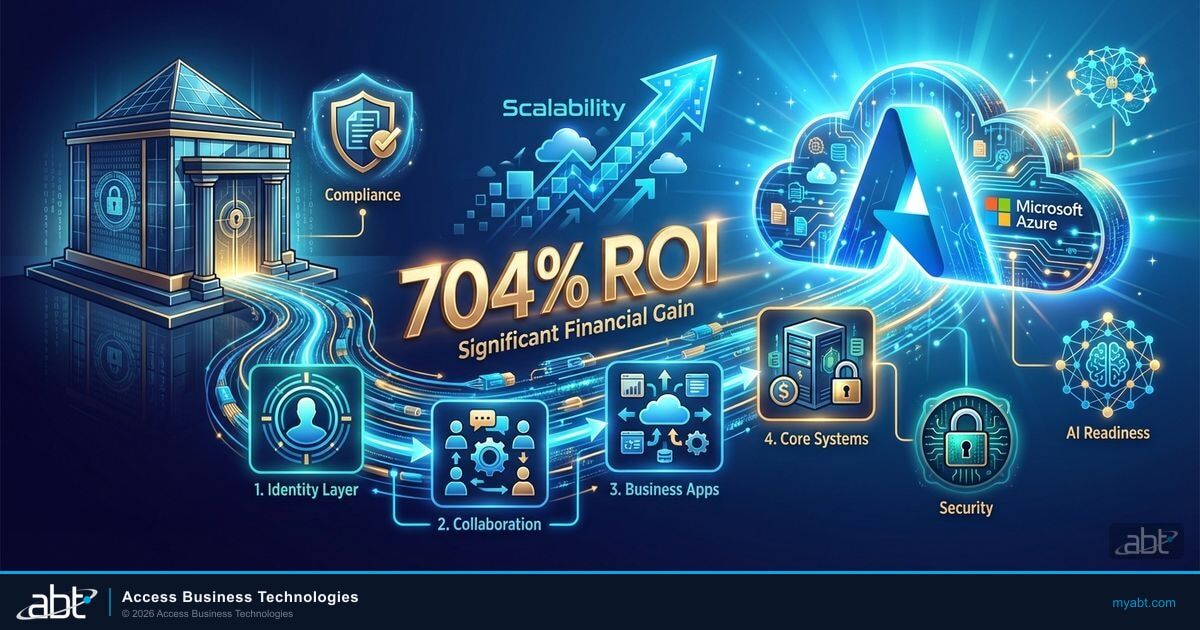
Cloud Migration for Financial Institutions: A Phased Approach Without the Headaches
Why the institutions that move in phases finish, and the ones that move all at once stall.
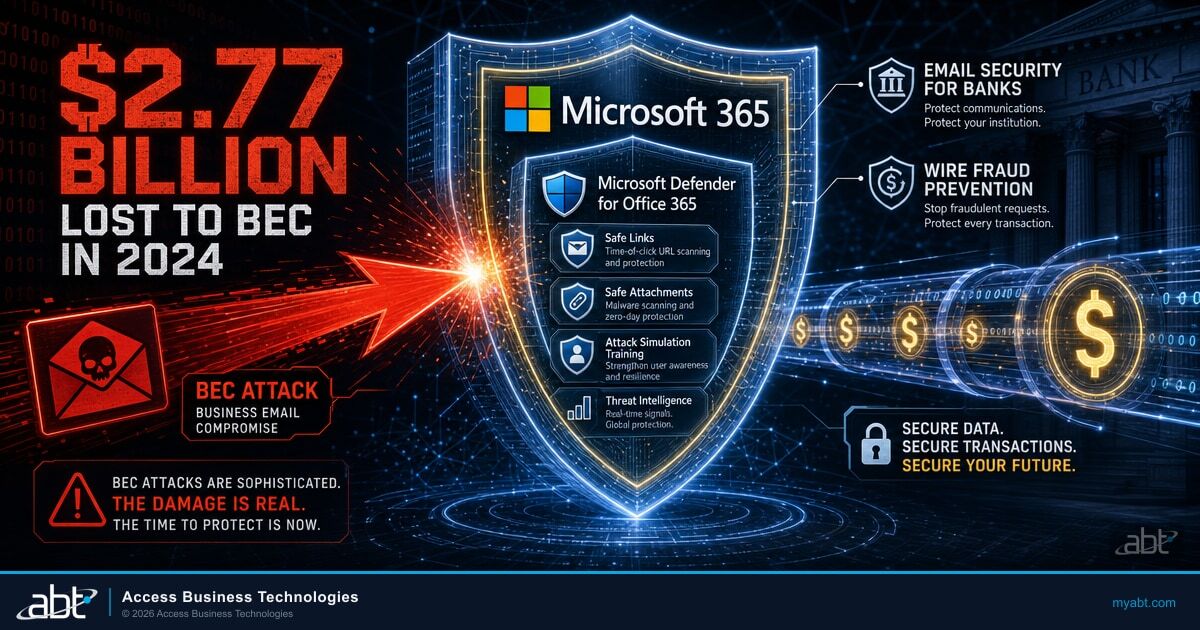
Email Security for Banks: Stop Wire Fraud and BEC Before They Cost You Millions
The SPF, DKIM, and DMARC configuration to get right while the mail platform is already being touched.
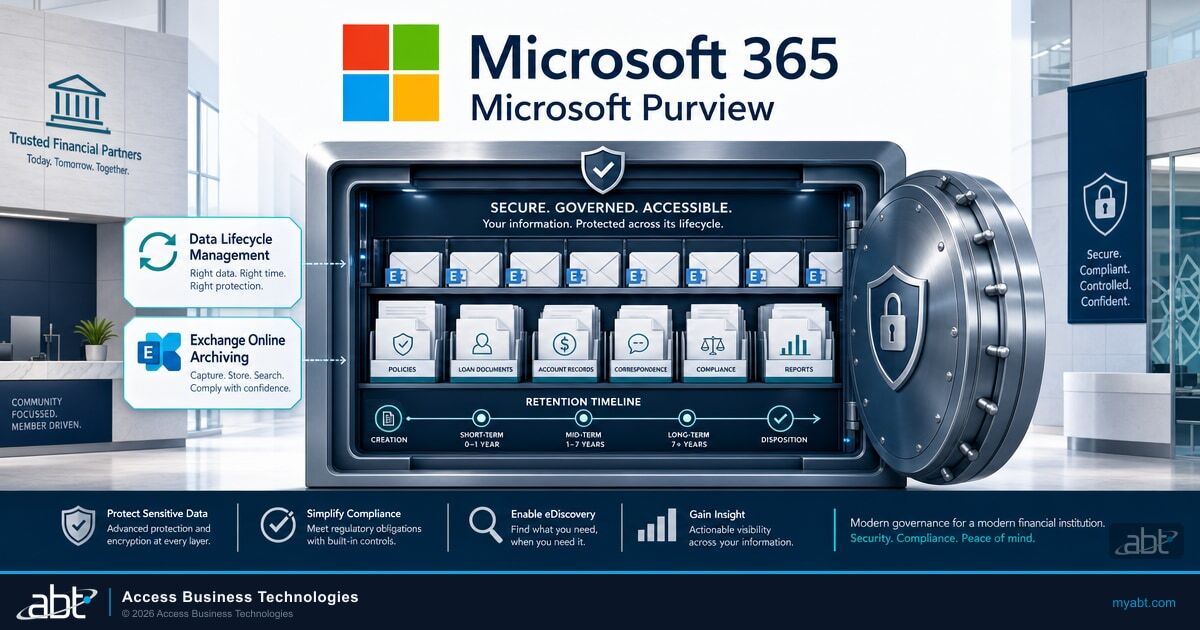
Microsoft 365 Data Retention for Financial Institutions
Configuring retention and archiving in Microsoft Purview so recordkeeping rules are met by design.
The Amazon WorkMail shutdown, answered
Ready to leave
WorkMail behind?
Tell us about your mailboxes and ABT's team will build your free migration plan: what moves cleanly, what needs its own path, what your Microsoft 365 licensing should cost afterward, and what we harden on day one.
